
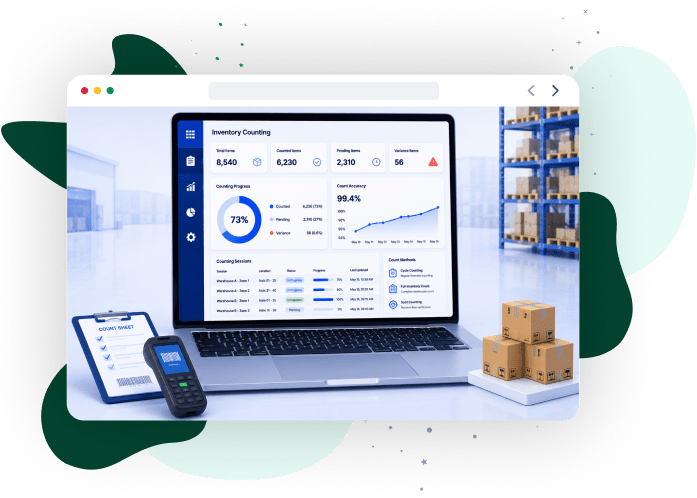

iCommuneTech designs and deploys custom inventory counting systems for enterprises managing distributed warehouse operations, high transaction volumes, and multi-location stock control.
Start ImplementationWhat Is Inventory Counting Software?
Inventory counting software is a system that executes physical stock counts, validates counted quantities against system records, and posts reconciled updates to the inventory ledger within a controlled transaction framework. It operates within the inventory control system architecture, where count inputs, validation rules, and ledger updates follow defined control logic.
The system governs count execution through predefined programs such as cycle counts and physical audits. Each transaction records user actions, timestamps, location data, and variance values, enabling traceability and controlled reconciliation. When discrepancies arise, the system initiates exception handling workflows that classify variance and enforce approval-based adjustments.
For distributed operations, the system standardizes count logic across warehouses and in-transit inventory nodes. It maintains consistent inventory records, supports audit requirements, and maintains alignment between physical stock and system balances without manual intervention.
What Are the Types of Inventory Counting Systems?
There are 3 types of inventory counting systems. They are periodic, perpetual, and cycle counting. Each type defines how frequently inventory updates, how the system detects discrepancies, and how counting integrates with daily warehouse operations.
The following table compares the three primary inventory counting systems based on execution method and operational impact:
| System Type | How It Works | Operational Impact |
|---|---|---|
| Periodic Inventory System | Executes full physical counts at scheduled intervals and updates records after count completion | Creates data gaps between counts, delays discrepancy detection, and limits real-time inventory control |
| Perpetual Inventory System | Updates inventory records at each transaction event, including receipts, picks, transfers, and adjustments | Maintains real-time stock visibility, supports immediate decision-making, and shifts counting to validation processes |
| Cycle Counting System | Schedules SKU-level counts based on classification rules, such as value and movement frequency | Distributes count workload, detects discrepancies early, and stabilizes inventory records without operational disruption |
Perpetual systems rely on transaction-level updates within perpetual inventory tracking models, where inventory records reflect stock movement at the time of execution. Enterprise operations combine perpetual tracking with cycle counting to validate inventory records without shutting down warehouse or transport workflows.
These three system types determine which counting technology fits the operation: barcode, RFID, or computer vision.
What Is the Difference Between Manual and Automated Inventory Counting Methods?
Manual and automated inventory counting methods differ in 3 areas: how they capture stock data, how they validate entries, and how they update inventory records. Automated counting replaces manual recording with system-validated inputs, which reduces errors and enables real-time inventory control.
The following comparison shows how each method works and where limitations appear.
| Method | How It Works | Operational Limitations / Advantages |
|---|---|---|
| Manual Inventory Counting | Records stock using paper logs or spreadsheets, followed by delayed system entry | Creates data gaps, increases input errors, limits traceability, and slows reconciliation cycles |
| Automated Inventory Counting | Captures stock data through scanning devices integrated with validation rules | Reduces input errors, enables immediate validation, supports real-time updates, and improves traceability |
Automated counting validates entries at the point of capture and posts updates immediately to inventory records. This eliminates duplicate entry steps, reduces discrepancy rates, and keeps stock records accurate during high transaction volumes.
Organizations adopt automated inventory operations to replace manual counting bottlenecks, improve data accuracy, and support continuous inventory tracking without reconciliation delays.
What Is Cycle Counting in Warehouse Inventory Management?
Cycle counting is an inventory validation method that schedules SKU-level counts during active operations. This eliminates the need for full warehouse shutdowns. Organizations adopt cycle counting to detect discrepancies early, reduce stock variance, and keep inventory records accurate during continuous transaction activity.
Cycle counting runs within warehouse inventory control workflows, where count tasks, validation checks, and adjustment rules execute as part of daily warehouse activity.
Cycle counting follows 5 execution steps:
- SKU Classification: Assigns count frequency based on item value, movement rate, or criticality
- Task Allocation: Generates count tasks at the bin or location level based on classification output
- Count Validation: Compares physical counts with system records to identify mismatches
- Threshold Control: Flags discrepancies that exceed predefined variance limits
- Approval-Based Adjustment: Routes verified discrepancies through authorization workflows before posting ledger updates
Cycle counting distributes counting effort across time, reduces large-scale reconciliation cycles, and limits operational disruption. SKU-level validation improves inventory visibility, shortens correction cycles, and stabilizes stock accuracy during warehouse and transport operations.
According to Gartner, 20% of organizations have adopted AI-enabled vision systems for inventory counting as of recent surveys.
Early adoption signals a shift away from manual scanning toward automated counting technologies that reduce discrepancies at the source.
Driving Measurable Results Across Industries
From automating manual calculations to modernizing legacy infrastructure, we build software that directly impacts the bottom line. Our custom solutions consistently reduce operational costs and accelerate process efficiency.
View Our Case Studies
What Are RFID, Barcode, and Computer Vision Inventory Counting Solutions?
Inventory counting technologies span 3 methods — barcode-based scanning, RFID bulk capture, and computer vision recognition — each with distinct data capture mechanisms and operational requirements. Each method determines how inventory data is captured, validated, and posted to inventory records.
The following table compares all 3 technologies by execution method and operational capability.
| Technology | How It Works | Operational Capability |
|---|---|---|
| Barcode-Based Counting | Uses optical scanners to read printed labels at the SKU or bin level, requires line-of-sight scanning | Captures item-level data with low infrastructure cost, but depends on sequential scan execution |
| RFID-Based Counting | Uses radio frequency tags and readers to capture inventory data without line-of-sight | Captures multiple items simultaneously, reduces count time, and supports non-contact identification |
| Computer Vision Counting | Uses cameras and machine learning models to detect and count inventory based on visual recognition | Automates count execution, removes manual scanning steps, and enables continuous monitoring in fixed zones |
Barcode systems require sequential scans, which limit throughput in large-scale operations. RFID systems capture multiple items within a single read cycle, reducing count duration in dense storage environments. Computer vision systems detect inventory through image processing and validate counts automatically without physical interaction.
Organizations select from these digital inventory tracking technologies based on infrastructure readiness, count frequency, and accuracy requirements.
Gartner predicts that by 2027, 50% of warehouse operations will deploy AI-enabled vision systems to replace traditional scanning-based cycle counting.
Vision-based systems reduce manual scanning dependency, increase count frequency, and deliver more consistent inventory validation than barcode or RFID methods.
How Do You Count Inventory with Barcode Scanners?
Barcode scanners count inventory by reading SKU or bin labels and transmitting the data directly to the inventory system in real time. This method captures accurate data, eliminates manual entry delays, and delivers consistent count execution across warehouse locations.
The barcode counting workflow follows 5 steps:
- Scan Execution: The operator scans the SKU or bin label using a handheld or fixed scanner
- Data Transmission: The scanner transmits encoded label data to the inventory system instantly
- Validation Processing: The system verifies SKU, location, and quantity against predefined validation rules
- Record Update: Valid entries post immediately to inventory records
- Exception Handling: The system flags mismatches and routes them through correction workflows
Barcode-based counting integrates with barcode scanning in logistics operations, where each scan event synchronizes directly with warehouse management systems for real-time inventory updates.
Sequential scanning supports item-level traceability and controlled execution, making barcode systems suitable for operations with structured storage layouts and moderate SKU volumes. Low infrastructure requirements and fast deployment cycles make barcode counting a cost-efficient option for maintaining accurate inventory records.
How Does RFID Inventory Counting Enable Real-Time Tracking?
RFID inventory counting captures stock data in real time by detecting tagged items within defined read zones without requiring manual scanning. It accelerates count execution, increases data accuracy, and tracks inventory movement continuously across warehouse and yard operations.
The following components define how RFID systems capture and process inventory data:
| Component | Function | Operational Outcome |
|---|---|---|
| RFID Tags | Store encoded SKU identifiers on inventory units or pallets | Enable wireless identification without physical interaction |
| RFID Readers | Emit radio signals to detect tags within range | Capture multiple items in a single read cycle |
| Processing Layer | Interprets read events and maps them to inventory records | Filters duplicate reads and updates inventory status |
RFID systems capture inventory presence at fixed checkpoints such as entry, exit, and storage zones. This eliminates item-level scanning dependency and enables continuous stock movement monitoring across warehouse locations and yard operations.
Each read event updates the inventory position based on tag detection patterns.
Integration with real-time supply chain visibility keeps inventory records aligned with actual stock movement across warehouse and transport workflows.
RFID counting fits high-volume environments that require pallet-level tracking and frequent stock movement. Bulk data capture reduces count time, improves tracking accuracy, and delivers consistent inventory visibility without manual intervention.
How Does Computer Vision Enable Inventory Counting Automation?
Computer vision automates inventory counting by using trained detection models to identify and count items within defined camera capture zones.
The system processes image frames from fixed camera points positioned along conveyors, storage racks, or packing lines. Detection models classify items based on visual features such as shape, label patterns, or packaging geometry, converting image inputs into countable inventory records.
This approach supports continuous monitoring of item flow, where each detection event represents a count instance. The system flags 3 anomaly types based on predefined recognition rules: missing units, duplicate placements, and incorrect item grouping.
When integrated with inventory counting with computer vision, visual detection outputs map directly to inventory records for system-driven count validation and exception identification during active operations.
Computer vision deployment fits controlled environments with consistent lighting, fixed item paths, and predictable packaging formats, where visual recognition maintains count consistency at scale.
What Are the Key Features of Custom Inventory Counting Software?
Custom inventory counting software delivers 6 configurable features that standardize count execution, validate inventory data, and control adjustment workflows across warehouse and transport operations. These features determine how counting processes scale, integrate with enterprise systems, and maintain accuracy under continuous transaction activity.
The following table outlines the 6 core features of a custom inventory counting system:
| Feature | Function | Operational Outcome |
|---|---|---|
| Batch and Event-Driven Counting | Triggers scheduled counts or initiates counts based on inventory events | Delivers consistent count coverage and targets high-risk inventory segments |
| Mobile Data Capture | Captures count data at the bin level through handheld devices with direct system input | Eliminates delayed entry and reduces transcription errors |
| Multi-Location Inventory Control | Tracks inventory across warehouses, yards, and in-transit nodes within a unified structure | Enforces consistent count logic across distributed storage points |
| Integration Layer (WMS / ERP / TMS) | Transmits count updates and adjustments across enterprise systems | Synchronizes inventory records with operational and financial systems |
| Audit Trails and Change Logs | Records every count action and adjustment with traceable metadata | Supports audit verification and prevents unauthorized adjustments |
| Exception Handling and Variance Control | Flags discrepancies based on thresholds and routes them for approval | Isolates mismatches and prevents unauthorized adjustments |
These features run through centralized inventory data management systems, where count entries, adjustments, and inventory records follow defined validation rules and transaction controls.
Accurate count data directly influences upstream planning accuracy. McKinsey & Company reports a 20–50% reduction in forecast errors through AI-driven supply chain operations. Forecast models depend on reliable inventory data; inaccurate stock records distort demand signals and increase planning variability.
Custom inventory counting systems improve data accuracy at the source by validating entries during capture and enforcing controlled adjustment workflows. This reduces data inconsistencies that reach planning systems and tightens alignment between physical inventory and forecast-driven replenishment decisions.
How Does Inventory Counting Software Integrate with WMS, TMS, and ERP Platforms?
Inventory counting software connects warehouse, transport, and financial systems by transmitting validated count data and approved adjustments as direct transaction-level updates. This integration keeps inventory visibility accurate, aligns stock records with financial ledgers, and drives real-time operational decisions.
The following table shows how each of the 3 systems processes inventory data and drives end-to-end visibility:
| System | Integration Role | Data Exchange Outcome |
|---|---|---|
| Warehouse Management System (WMS) | Applies count updates to bin and location records | Keeps storage-level inventory positions accurate |
| Transportation Management System (TMS) | Receives shipment-level updates during dispatch and transit | Tracks inventory movement across transport stages |
| Enterprise Resource Planning (ERP) | Posts approved adjustments to accounting modules and stock ledgers | Aligns inventory balances with financial reporting |
Integration runs through APIs or message queues, where each count update triggers a synchronized transaction across all 3 systems. McKinsey & Company reports that AI-enabled supply chain improvements cut procurement spend by 5 to 15%.
Accurate inventory data reduces excess ordering and prevents stock imbalances, so procurement decisions align with actual demand signals.
Each transaction updates inventory positions across 3 layers: warehouse execution, transport tracking, and financial reporting. Within warehouse management system integration, count updates map directly to picking, replenishment, and storage processes, and remove the need for manual data reconciliation.
Continuous synchronization across systems improves data reliability, reduces planning errors, and keeps inventory visibility consistent across warehouse, transport, and financial workflows.
How Can You Make Inventory Counting Easier and More Accurate?
Inventory counting accuracy improves when organizations standardize execution workflows, minimize manual input points, and resolve discrepancies at the source. These 6 practices increase count throughput, reduce rework cycles, and stabilize SKU-level count reliability.
The following table outlines 6 practices that improve count execution efficiency and data accuracy:
| Practice | Execution Method | Operational Impact |
|---|---|---|
| Cycle-Based Scheduling | Assigns count frequency based on SKU velocity and value classification | Prioritizes high-impact inventory and distributes workload evenly |
| Mobile Count Input | Captures count data directly at the bin level through handheld devices | Eliminates duplicate entries and reduces operator handling time |
| Validation Rules | Applies input constraints during count submission | Prevents invalid entries and reduces correction cycles |
| Threshold-Based Recounts | Triggers are only triggered when variance exceeds defined limits | Focuses corrective effort on material discrepancies |
| Location Structuring | Organizes inventory into a bin and zone hierarchy | Shortens navigation time and improves operator efficiency |
| Standard Operating Procedures (SOPs) | Defines count execution steps and discrepancy handling rules | Standardizes operator actions and reduces process variation |
Accurate count execution cuts downstream inefficiencies in inventory handling and replenishment. McKinsey & Company reports 5–20% reductions in logistics costs through AI-enabled supply chain improvements. Reliable SKU-level data reduces stock imbalances and improves replenishment timing, which directly cuts transport and warehouse costs.
These practices connect to inventory optimization strategies, where execution efficiency, workload control, and data reliability drive measurable operational performance.
How Do Inventory Counting Audits Support GAAP Compliance?
Inventory counting audits enforce financial accuracy by reconciling physical stock with recorded balances and applying controlled adjustment workflows that meet GAAP requirements. These audits prevent misstatements, confirm audit readiness, and maintain compliance with financial reporting standards.
Audit execution follows 4 control steps:
Variance Identification:
Detects differences between physical counts and recorded quantities
Root-Cause Classification:
Identifies discrepancy sources such as handling errors, system delays, or process gaps
Approval-Controlled Adjustments:
Routes corrections through authorization hierarchies before ledger posting
Audit Documentation:
Captures count evidence, variance records, and approval logs for verification
GAAP compliance requires valuation consistency, segregation of duties, and traceable adjustment records. Count execution, approval, authorization, and financial posting operate as separate roles, which prevents unauthorized inventory changes and strengthens financial control.
Supply chain compliance frameworks standardize how discrepancies are recorded and approved under defined accounting rules.
System-driven audit controls replace manual reconciliation and confirm that inventory adjustments align with financial reporting periods and regulatory requirements. Structured audit execution reduces reconciliation risk, improves financial transparency, and prepares multi-location inventory operations for external audit validation.
How Do You Conduct an Inventory Count Audit?
An inventory count audit follows a defined control sequence that measures physical stock, isolates variances, and posts authorized adjustments to inventory and financial ledgers. This sequence standardizes audit execution and enforces traceable inventory adjustments across all count phases.
The audit process follows 3 execution phases:
Audit Preparation
- Scope Definition: Selects SKUs, storage locations, and inventory segments based on risk exposure and financial reporting scope
- Transaction Freeze: Blocks inventory movements for selected items or zones to preserve count integrity
Count Execution and Variance Analysis
- Physical Count Execution: Records actual quantities at the bin and SKU level using defined count procedures
- Data Mapping: Matches captured quantities against system balances to identify differences
- Variance Identification: Flags quantity differences between physical and recorded stock
- Discrepancy Investigation: Traces variance sources using transaction logs, location mapping, and handling records
Adjustment and Audit Closure
- Approval-Controlled Adjustments: Routes verified variances through authorization workflows before ledger posting
- Balance Verification: Confirms updated system balances against counted quantities
- Audit Documentation: Logs count evidence, variance records, and approval history for compliance review
- Analytical Review: Evaluates variance trends using supply chain analytics for audit validation and refines audit controls based on findings
What Are the GAAP Rules for Inventory Counting and Financial Integrity?
GAAP rules for inventory counting govern how inventory is valued, recorded, and reported to maintain financial statement accuracy and compliance with accounting standards.
1. Inventory Valuation Methods:
Applies FIFO, LIFO, or weighted average costing to determine inventory value for financial reporting
2. Consistency Enforcement:
Applies the same valuation method across all reporting periods to preserve comparability
3. Lower of Cost or Market (LCM):
Records inventory at the lower of historical cost or current market value to prevent overstatement
4. Cut-Off Controls:
Maps inventory transactions to the correct accounting period based on receipt and dispatch timing
5. Segregation of Duties:
Separates count execution, approval authority, and financial posting responsibilities
6. Audit Trail Maintenance:
Logs all inventory changes with supporting documentation for audit verification
7. Periodic Reconciliation:
Aligns physical stock valuation with ledger balances at financial close
8. Obsolescence Recognition:
Identifies non-moving or unsellable inventory and posts value write-downs to financial records
These 8 controls run within supply chain systems, where valuation methods, transaction recording, and financial reporting follow defined accounting structures.
Why Choose iCommuneTech for Custom Inventory Counting Software?
iCommuneTech designs and deploys custom inventory counting systems that connect execution workflows, system integrations, and audit controls to enterprise inventory operations. iCommuneTech prioritizes implementation precision so that counting processes run reliably under real warehouse and transport conditions.
iCommuneTech’s delivery model includes 6 capabilities that set it apart from standard implementation vendors:
Process-Driven System Design: Maps counting logic to SKU structure, bin hierarchy, and inventory movement patterns to fit actual warehouse workflows
End-to-End Integration Execution: Connects count transactions with warehouse, transport, and financial systems using a production-ready data exchange architecture
Audit-Ready Control Frameworks: Implements approval hierarchies, variance governance, and policy enforcement that meet GAAP and regulatory compliance requirements
Multi-Node Inventory Handling: Manages warehouse, yard, and in-transit inventory under a unified execution model
Adaptive Data Capture Strategy: Selects barcode, RFID, or vision-based capture methods based on existing infrastructure and throughput constraints
Implementation Lifecycle Ownership: Handles requirement mapping, system configuration, interface deployment, and operational validation without dependency on third-party coordination
iCommuneTech follows a custom inventory implementation approach where system configuration, integration setup, and control logic connect directly to enterprise-scale inventory execution.
This implementation model reduces deployment risk, accelerates system adoption, and keeps inventory counting processes stable under high transaction volumes.
Start implementation today to standardize inventory counting, enforce audit controls, and connect inventory data across warehouse, transport, and financial systems.
Automate Inventory