
Freight Load Board API Integration
How a US Freight Load Board Automated Load Posting From TMS and XML Feeds
FindFreightLoads received truckloads from a TMS, XML feeds, and manual admin entry, with no automated way to post them. In about 3 months, we routed every source through one token-secured API, added city-level load search, and merged the blog into a single admin.
- Project duration
- 3 Months
- Load sources into one API
- 3 → 1
- Phases released to production
- 5
Client Overview
Client Story
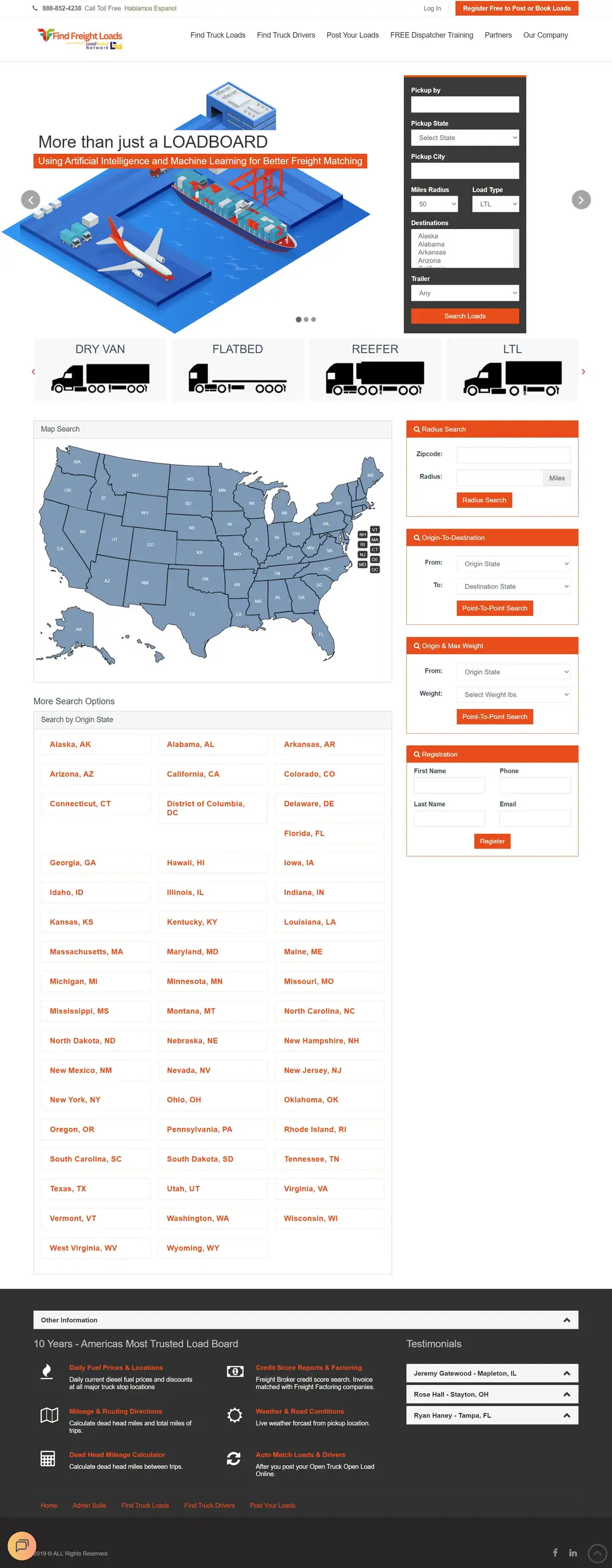
FindFreightLoads is a US freight load board where carriers and brokers search available truckloads by pickup location, destination, date, and trailer type. Led by CEO Mike, the business also offers load planning, dispatching, freight factoring, and freight broker training. Every load on the board lives in RNL, the load platform behind the site.
Loads reached RNL from three directions: the EFS2 transportation management system (TMS), partner XML feeds, and admins typing them in by hand. Each source used its own structure, and none of them posted automatically. New freight could sit unseen until someone re-entered it, and a carrier searching for loads near one pickup city still got results for the whole state. The company blog ran on a separate system with its own admin panels and a menu that broke on mobile.
Background
Project Background
Mike wanted the load board to grow without growing the manual work behind it. The brief:
- Automated Load Posting
- Post loads from EFS2 and XML feeds into RNL without manual entry.
- Secure API Access
- Allow only authorized systems to post loads through the RNL API.
- More Precise Load Search
- Help carriers and brokers find loads by exact pickup location.
- One Place to Manage Content
- Bring the separate blog under a single admin.
We needed to post freight loads into RNL without manual intervention, but my concern is I don’t see a difference between the one that imported and the one that did not.

Discovery
Research & Ideation
Three sources with three data formats could not each get their own route into the database. The question was how to give every load one way in, and prove it arrived.
One Door for Every Load
EFS2, XML, and admin loads all post through the same RNL API, so every load is validated the same way.
Secure the Door First
API authorization came first, before any external system was connected to post loads.
Improve Without Breaking
New search filters and the blog merge had to leave existing searches and the site theme working as before.
Design
Designing a Single Load Ingestion Flow
Every load from EFS2 and XML feeds now follows the same five steps, whichever system sends it.
- External SourcesEFS2 TMS and XML feeds
- Custom PHP ScriptsRead and normalize load data
- Authorized RNL APIToken-checked load posting
- RNL Loads DatabaseOne record per verified load
- Public Load SearchVisible to carriers and brokers
Scripts never write to the database directly. Every load passes through the authorized API, so the rules are the same for every source.
Challenges
Project Challenges
Disconnected Load Sources
Loads came from EFS2, XML feeds, and manual admin entry, with no unified workflow into RNL.
No API Authorization
The RNL API had no access-token security, so system-to-system posting could not be controlled.
Manual, Partial Load Posting
Some processes posted only one load at a time, and bulk posting needed manual work.
State-Level Search Only
Users could filter loads by state but not by pickup city, which made results less precise.
Fragmented Blog Management
The blog ran separately, with multiple admin panels, design inconsistencies, and mobile layout issues.
Approach
Our Solutions
We delivered in small, production-ready releases across integrations, API security, and the user interface.
EFS2 Bulk Load Posting
A script posts every EFS2 load into RNL in one run, replacing manual bulk entry.
EFS2 Single Load Posting
Admins can publish individual loads from the EFS2 load list when they need selective control.
Token-Based API Authorization
The load posting endpoint now accepts only systems with a valid access token.
XML Feed Automation
A PHP script reads load data from XML, posts it through the secured API, and confirms each record in the loads table.
City-Level Load Search
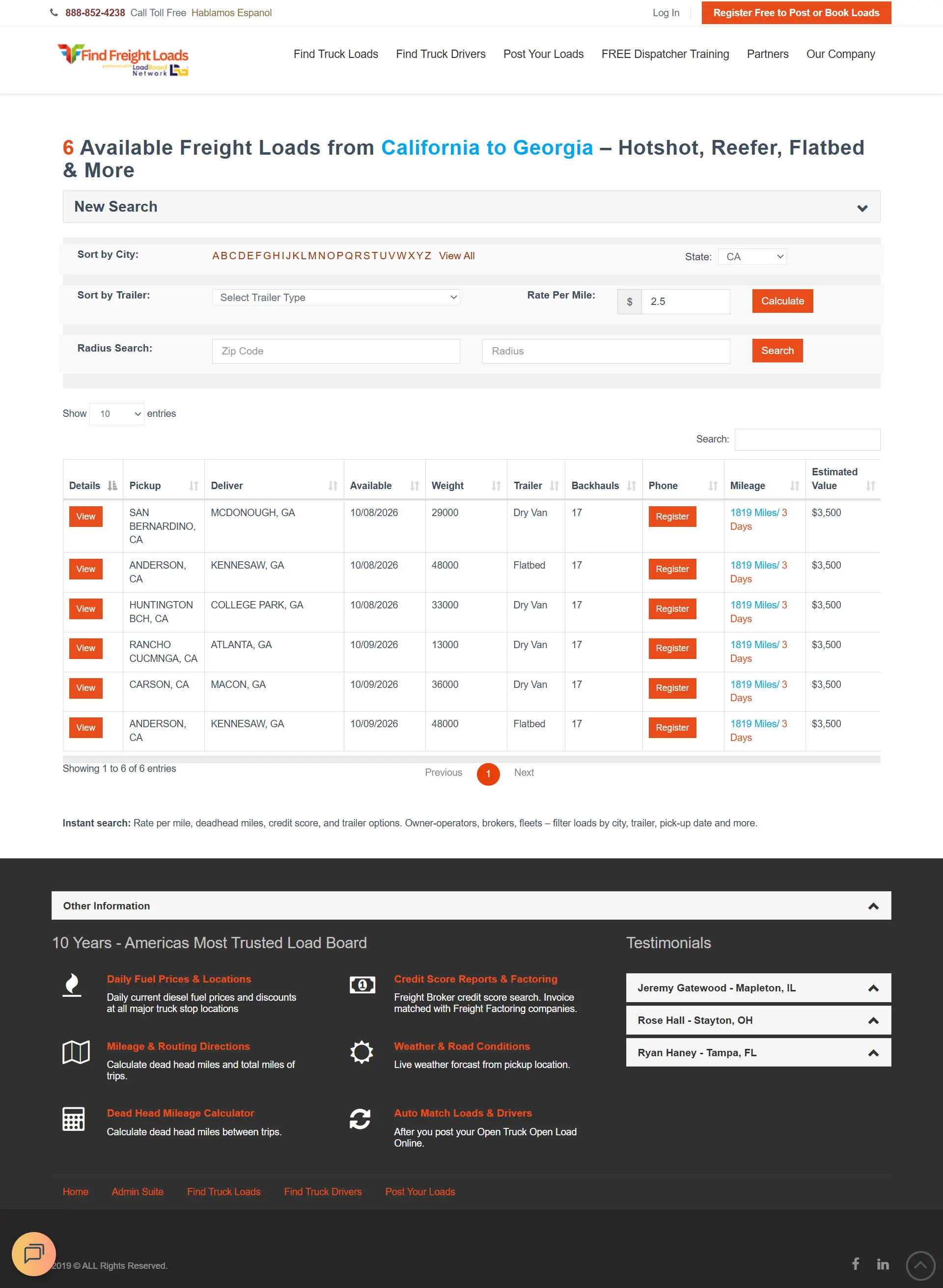
An optional Pickup City field narrows results, and listings now show pickup city and state.
Blog Platform Consolidation
Posts, categories, tags, and images moved into one admin, with new listing and detail pages in the existing theme.
Implementation Timeline
- RNL API Authorization
- EFS2 Load Integrations
- XML Load Automation
- City-Based Load Search
- Blog Consolidation
Custom Features
Custom Functionalities
The engineering decisions that kept automation reliable as each source was connected.
Normalized Data, One Entry Point
Each source has its own structure, so PHP scripts normalize load data before it reaches the API.
API-First XML Processing
The XML script posts through the API instead of writing to the database directly, so validation always runs.
Partial-Field Posting That Doesn’t Break
Fields the API did not yet support were held for a later phase, while available fields posted without stopping ingestion.
Shared Validation for Bulk and Single
Both posting workflows use the same validation and database insertion logic.
Backward-Compatible City Filter
The city filter applies only when entered, so every existing state-level search works as before.
Theme-Safe Mobile Menu Fix
Elementor jQuery conflicts were fixed by adjusting script loading and event handling, without changing the theme.
Support
On Going Support
FindFreightLoads worked with a dedicated iCommuneTech team across integrations, API security, and the user interface.
Continuous Production Releases
Each phase went live as soon as it was ready, instead of waiting for one large launch.
Clear Explanations, Easy Handover
We explained each problem and fix clearly enough for Mike to train his own team.
Ready for New Integrations
With token-based authorization in place, any future TMS or partner feed can post loads through the same secured API and validation rules.
iCommuneTech Team was responsive in troubleshooting the issues, explained the problems clearly, and helped me understand the solution well enough so I could train my own team. The fixes worked, and I was very happy with the support throughout the process.
Impact
Project Outcome
- Load sources posting through one secured API
- 3 → 1
- Posting modes: bulk and single load
- 2
- Load search precision
- State → City
- Admin for all blog content
- 1
Figures from the delivered project scope.
Loads from EFS2 and XML feeds now post into RNL without manual re-entry, and every source goes through the same token-secured API. Admins choose between bulk posting and single-load publishing, and each XML run is confirmed in the loads table.
Carriers and brokers can narrow searches to a specific pickup city without any change to how state searches work. The blog runs from one admin, in the same theme, with a working mobile menu.
How iCommuneTech Works
Understand first. Build exactly what’s needed. Stay for the long run.
We deliver the exact solution to a business problem with the least investment and time, then stay to keep it working.
We understand before we quote
We start by understanding how the work actually gets done, before we propose anything.
The exact solution, not the biggest one
We recommend the smallest solution that fully solves the problem, and use what already works.
A team that stays
Every launch includes a 90-day warranty, then an optional long-term delivery plan with the same team.
Problem Slowing Business Growth? Let’s Find the Exact Fix.
Tell us how the work gets done today. We’ll map it before we propose anything.
Connect on WhatsApp+91 97256 00878
Share your requirementsenquiry@icommunetech.com